Thursday, February 25, 2010

An IIS directory entry couldn't be created. The error message is The service cannot be started, either because it is disabled or because it has no enabled devices associated with it

You have added Exchange Trusted Subsystem Group  a member of local administrator group in Exchange 2007 and yet receiving fallowing errors and not seeing OWA directory on your Exchange 2010 server or servers.

See previous article

An IIS directory entry couldn't be created. The error message is The service cannot be started, either because it is disabled or because it has no enabled devices associated with it.

image

Get-OwaVirtualDirectory

image

Possible cause

  • You did not enable IIS Admin Service
  • You have not restart IIS service yet

image

image

image

Restart-Service IISADMIN

image


Best regards,

Oz Casey , Dedeal

MCITP (EMA), MCITP (SA)
MCSE 2003, M+, S+, MCDST
Security+, Project +, Server +

Http://smtp25.blogspot.com (Blog

Http://telnet25.spaces.live.com (Blog)

Http://telnet25.wordpress.com (Blog)

DR / High Availability Exchange 2010

If you have not seen how DAG works in Exchange 2010 I recommend downloading Videos made by Scott Schnoll and watch them when you have time.

I think if you deploy DAG which is very easy and start using it, you will appreciate the most and be amazed with its simplicity and power. There are no more complex cluster scenarios, entire process is build into Exchange 2010 and very much seamless to administrators.

High Availability in Exchange Server 2010 - Part 1

image

High Availability in Exchange Server 2010 - Part 2

image

High Availability in Exchange Server 2010 - Part 3

image

High Availability in Exchange Server 2010 - Part 4

image

More Vides on MSExchange Team blog

http://msexchangeteam.com/videos/9/drandha/default.aspx

Best regards,

Oz Casey , Dedeal

MCITP (EMA), MCITP (SA)
MCSE 2003, M+, S+, MCDST
Security+, Project +, Server +

Http://smtp25.blogspot.com (Blog

Http://telnet25.spaces.live.com (Blog)

Http://telnet25.wordpress.com (Blog)

image

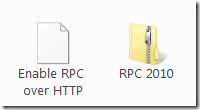
RPC OVER HTTPS SCRIPT NEW VERSION SUPPORTS OUTLOOK 2010,2007,2003

Here is real nice script provided by Gene. I made step by step instructions showing what to change in the script to make it work for you. After configuring this script you can have it hosted some internal website and distribute to your users if they need to use RPC & HTTPS or even e-mail them.

image

Click here to download this from skydive

image

  • As professional courtesy if you use the script take one minute and leave some comments thanks (-: This is all we are asking. Remember the credits will go to
  • Gene Strickland who modified the script and he is kind enough to share with exchange community,
    Thanks to Gene….

Best regards,

Oz Casey , Dedeal

MCITP (EMA), MCITP (SA)
MCSE 2003, M+, S+, MCDST
Security+, Project +, Server +

Http://smtp25.blogspot.com (Blog

Http://telnet25.spaces.live.com (Blog)

Http://telnet25.wordpress.com (Blog)

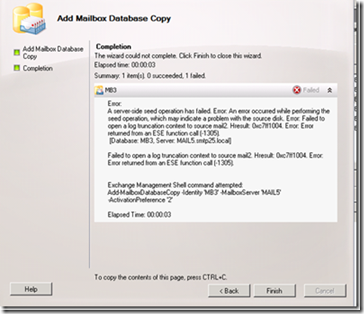
A server-side seed operation has failed. Error: An error occurred while performing the seed operation…..

Problem: Adding databases copied on Exchange 2010 DAG generates fallowing errors
image_thumb1

Summary: 1 item(s). 0 succeeded, 1 failed.
Elapsed time: 00:00:03
MB3
Failed
Error:
A server-side seed operation has failed. Error: An error occurred while performing the seed operation, which may indicate a problem with the source disk. Error: Failed to open a log truncation context to source mail2. Hresult: 0xc7ff1004. Error: Error returned from an ESE function call (-1305).
[Database: MB3, Server: MAIL5.smtp25.local]
Failed to open a log truncation context to source mail2. Hresult: 0xc7ff1004. Error: Error returned from an ESE function call (-1305).
Exchange Management Shell command attempted:
Add-MailboxDatabaseCopy -Identity 'MB3' -MailboxServer 'MAIL5' -ActivationPreference '2'
Elapsed Time: 00:00:03

Some useful information

What is seeding?

Seeding, also known as updating, is the process in which a database, either a blank database or a copy of the production database, is added to the target copy location on another Mailbox server in the same database availability group (DAG) as the production database. This becomes the baseline database for the copy maintained by that server.

Database mobility

  • New architecture in Microsoft Exchange Server 2010 that removes the concept of storage groups and uncouples an Exchange 2010 mailbox database from a Mailbox server
  • Continuous replication now operates at the database level
  • Transaction logs are replicated to one or more Mailbox servers
  • Transaction Logs replayed into one or more copies of a mailbox database stored on those servers.

Read more

Troubleshooting

Check health status (MB6 is the name of the Database in my case, replace this to suit your environment.

Get-MailboxDatabaseCopyStatus –identity mb6

image_thumb4

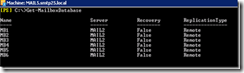
Get-MailboxDatabase

image_thumb5

When DB copy is added from source server to the destination server, process need some time to replicate the logs and then replay it to the database. ( this what happens behind the scene)

To see the status use below CMDLET

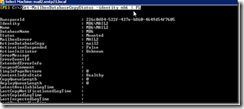
Get-MailboxDatabaseCopyStatus -identity mb6 | FL

image_thumb7

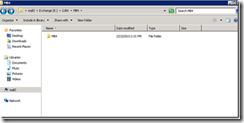
Also if you are having troubles it is good idea to check the size of the catalogdata from the target database server and the source database server and compare them

image_thumb9

In this case we see failure

Get-MailboxDatabaseCopyStatus -Identity mb4 | FL

image_thumb12

image_thumb13

Couple things to remember , DB is already suspended stage Source look good but destination seems to be having hard time

Source mail2

image_thumb15

Target mail3

image_thumb17

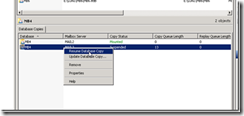
As you can see there is nothing in the target , I will copy the catalogdata from source to the destination & Target Exchange server.

image_thumb19

image_thumb21

I will resume the database copy after I am done copying.

bingo I get healthy status

image_thumb23

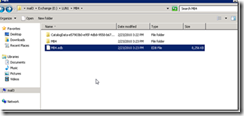
If I look at it once more I can see the logs got replayed and DB got created on the destination server
image_thumb25


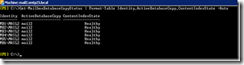
Get-MailboxDatabaseCopyStatus | Format-Table Identity,ActiveDatabaseCopy,ContentIndexState -Aut0


image_thumb27


Diagnose Exchange Search Issues

http://technet.microsoft.com/en-us/library/bb123701.aspx

Best regards,
Oz Casey , Dedeal
MCITP (EMA), MCITP (SA)
MCSE 2003, M+, S+, MCDST